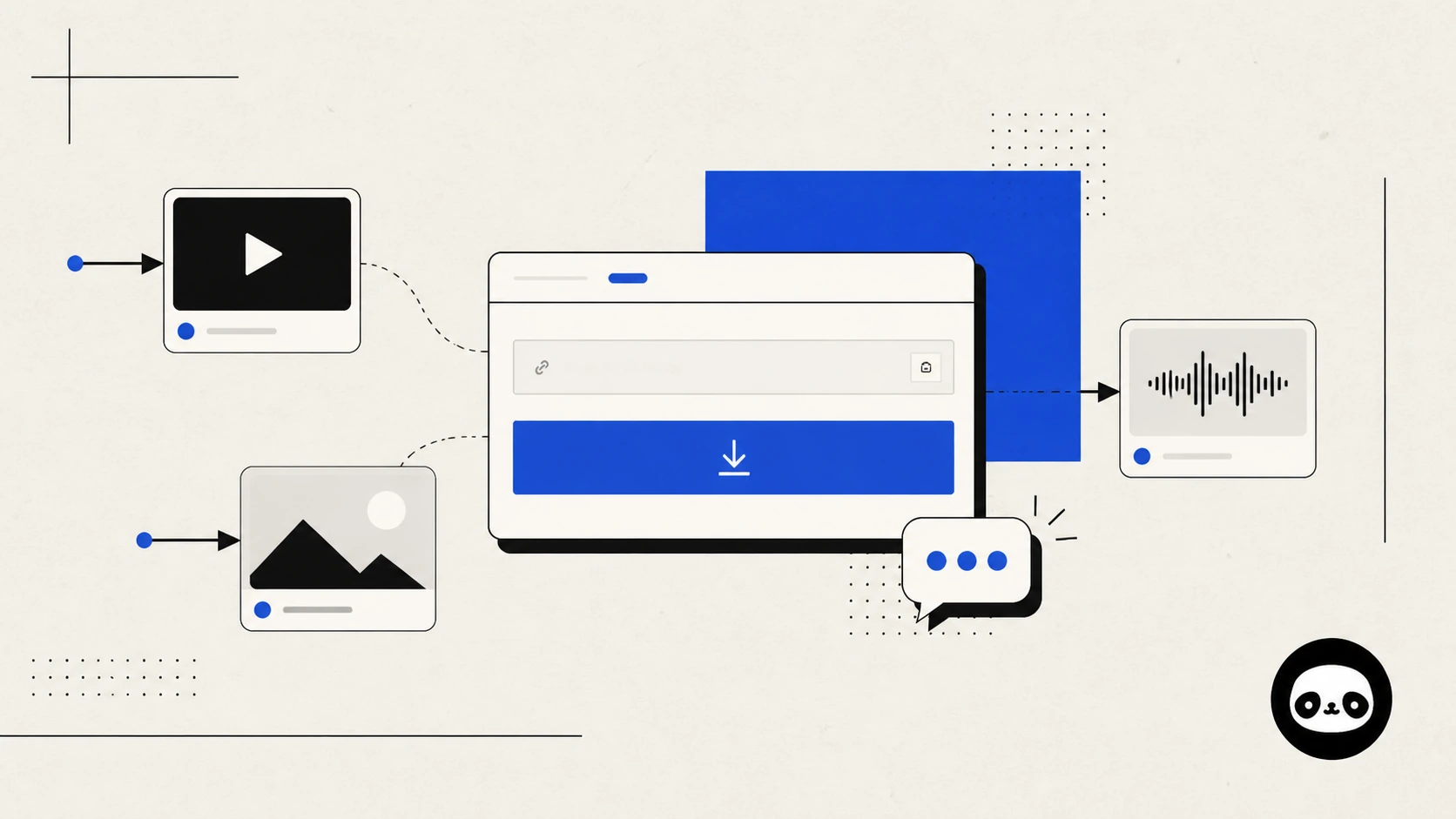
DLPanda looks different now. That is the obvious part. The more important changes are in the few seconds between pasting a link and knowing what to do next.
We released the new version at the beginning of August 2026. We deliberately waited a few weeks before writing about it. A launch announcement is more useful after real links, phones, browsers, and edge cases have touched the product. During that time, we fixed rough spots in the download flow, improved the way higher-quality media is surfaced when a source makes it available, expanded several platform tools, and added a direct feedback channel.
This is a straightforward account of what changed, how to get the best result from the new DLPanda, and where the service still has limits.
A clearer public video and photo downloader
The old DLPanda grew one feature at a time. It worked, but different pages did not always explain the same action in the same way. A first-time visitor could paste a link and still be unsure whether the page was working, what kind of media had been found, or how the final file should be saved on a phone.
The new interface gives those moments a consistent structure:
- One clear input: paste a supported public post link or use the Paste button.
- Visible download states: the page tells you when it is ready, working, finished, or unable to continue.
- Media-specific results: video, photo, and audio actions are labeled instead of being presented as anonymous files.
- Useful recovery actions: retry and cancel controls appear when they are relevant.
- Mobile guidance: saving steps are shown closer to the result, where people actually need them.
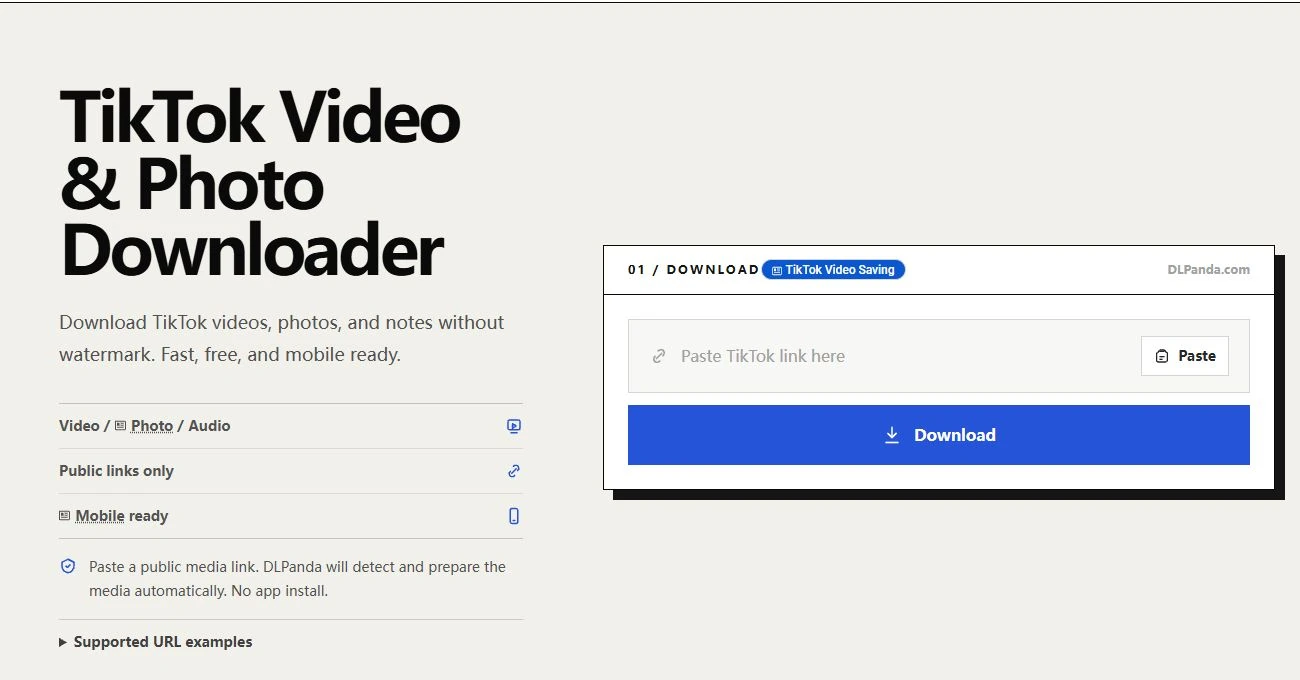
The goal was not to make the site look busier. It was to remove the small uncertainties that make a simple download feel harder than it should.
What changed in the new DLPanda
1. The result is easier to understand
A social post can contain a single video, a gallery of photos, a separate audio track, or a mix of media. The new result view is designed around the media that was actually detected. If a post exposes several photos, they can be handled as individual files. If a separate audio source is available, it is identified as audio. If only one usable video exists, the page does not pretend there are more choices.
Quality still depends on what the source exposes. DLPanda cannot manufacture an original file that is not available, but the updated flow does a better job of showing the strongest accessible option instead of making people guess which button to choose.
2. More platform tools share the same workflow
DLPanda began with TikTok and Douyin, but many people now arrive with links from other public platforms. The new version brings more of those tools into the same layout and interaction pattern. You no longer have to relearn the page every time the source changes.
Use the downloader that matches the link you copied:
| Public link | Start here | Typical media |
|---|---|---|
| TikTok | TikTok video and photo downloader | Videos, photo posts, and audio when available |
| Douyin | Douyin video and picture downloader | Public videos and image posts |
| RedNote / Xiaohongshu | RedNote photo and video downloader | Photos, videos, and original images when accessible |
| Instagram Reels and photo downloader | Public posts and Reels | |
| YouTube | YouTube video downloader | Supported public videos |
| Facebook video and Reels downloader | Accessible public videos and Reels | |
| Pinterest Pin downloader | Public Pins and clips | |
| Reddit video and image downloader | Accessible media attached to public posts | |
| Snapchat | Snapchat Spotlight downloader | Supported public Spotlight videos |
Other tools, including X, Weibo, Bilibili, Vimeo, Oasis, and iXigua, remain available from the full downloader list. Support can vary as platforms change their public pages, so the original post must remain accessible.
3. Mobile saving is treated as part of the job
Preparing a file and saving it are not always the same thing on a phone. iOS may open media in a viewer before offering Save to Photos or Save to Files. Android browsers may place the file in Downloads or ask which app should handle it. Some in-app browsers restrict normal download behavior entirely.
The new DLPanda includes contextual mobile instructions instead of assuming every browser behaves like a desktop. If tapping a result opens the media rather than saving it, use the browser share menu, a long press, or the available save action. When possible, open DLPanda in Safari, Chrome, or another full browser rather than inside a social app's embedded browser.
4. The site speaks more clearly across languages
The interface is now available in more of the languages used by DLPanda visitors. This work goes beyond translating the Download button: status messages, supported-link guidance, common errors, mobile instructions, and the feedback form use the selected interface language.
Translations can still be improved. If a sentence sounds unnatural or a technical term is wrong in your language, that is exactly the kind of detail we want reported.
How to get the best result
- Open the original public post. Confirm that it still loads normally and is not private, deleted, or limited to signed-in viewers.
- Use the platform's Share or Copy link action. A post URL is more reliable than copied caption text, a profile URL, or a search-results page.
- Choose the matching DLPanda tool. A TikTok link belongs in the TikTok downloader; a RedNote link belongs in the RedNote downloader.
- Paste the link and choose Download. Wait for the page to identify the available media.
- Save the labeled result. On mobile, follow the on-screen save guidance if the file opens in a viewer.
If a short share link fails, open it once in a normal browser and copy the resolved post URL from the address bar. Also remove unrelated text that may have been copied alongside the link.
Limits worth knowing
DLPanda works with media that a public page makes accessible. It does not bypass account privacy, deleted posts, paywalls, regional restrictions, or access controls. A link may also stop working temporarily when a platform changes its public page or rate-limits requests.
The available resolution and format come from the source. Some posts expose an original or high-definition file; others only expose a processed copy. A missing audio button usually means there was no separate accessible audio track in the parsed result.
DLPanda is an independent third-party tool and is not affiliated with the platforms it supports. Only save media you have permission to use, and respect the creator's rights and the relevant platform rules.
Help shape what we fix next
The new version includes something the old site was missing: a direct way to tell us what happened.
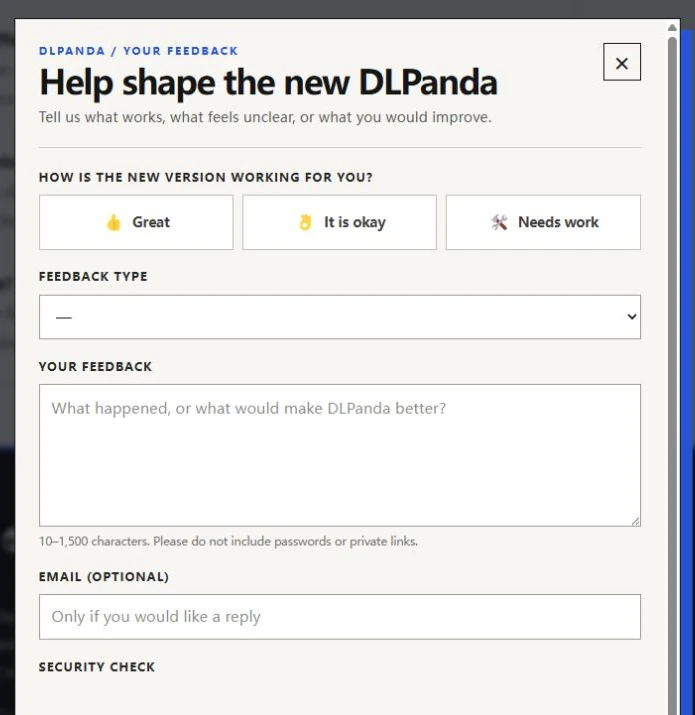
Open Share feedback in the footer of any DLPanda page. You can rate the experience, report something that is broken, suggest an improvement, or leave another kind of comment. An email address is optional and is only needed if you would like a reply.
A useful report does not need to be long. These details help us act on it:
- the platform you were using;
- whether the post contained video, photos, or audio;
- your device and browser;
- the step where the process stopped;
- the exact error message, if one appeared;
- what you expected to happen instead.
Please do not send passwords, cookies, private links, or other sensitive information. If the issue is language-related, include the sentence that feels wrong and the wording you would use.
The most valuable feedback is specific: what you tried, what happened, and what would have made the result clearer.
We will use those reports to decide which broken flows, confusing messages, platform changes, and requested improvements deserve attention first. If the new DLPanda works well for you, tell us that too; knowing which parts are dependable helps us avoid breaking them while we improve the rest.
Try the new DLPanda, and when you are finished, use Share feedback at the bottom of the page. We are listening.
Frequently asked questions
Do I need to install an app?
No. DLPanda runs in the browser. Paste a supported public link, review the detected media, and use the available save action.
Can DLPanda download private or deleted posts?
No. The original post must be publicly accessible. Private, deleted, sign-in-only, paywalled, or region-restricted media may not be available.
Why is the highest quality different from one post to another?
DLPanda can only offer the files exposed by the source. When an original or higher-quality resource is accessible, the result can surface it; when it is not, DLPanda cannot recreate it.
What should I do if the download button opens the file?
On a phone, use the browser's share or save menu, or press and hold the media or download link. A full browser such as Safari or Chrome generally provides better saving controls than an in-app browser.
Where can I request a feature?
Choose Share feedback in the footer, select the suggestion category, and describe the problem you want the feature to solve. An email address is optional.